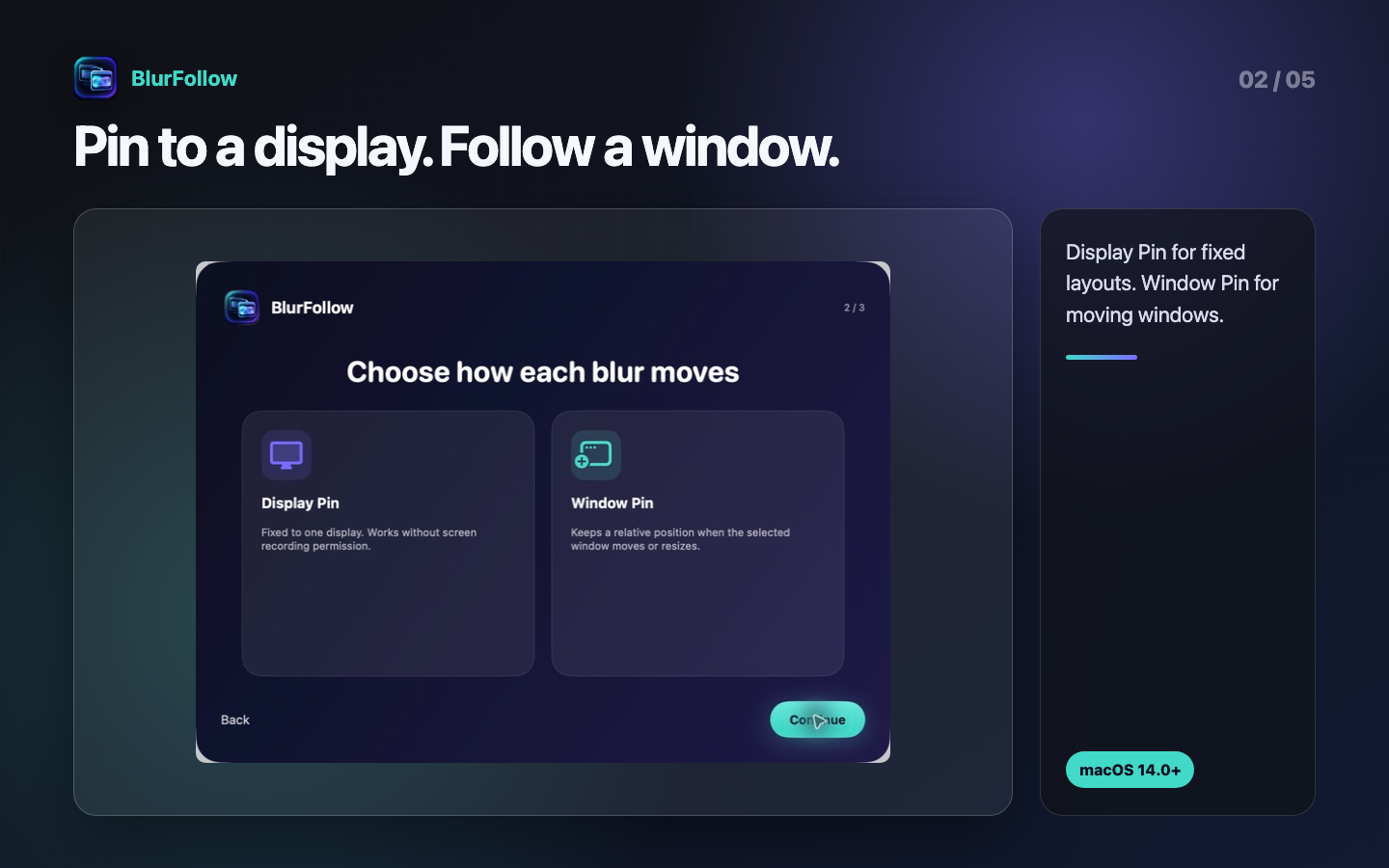
Display Pin
For notification areas and fixed layouts. Place a mask at a proportional position on one display.
Window-following blur for Mac
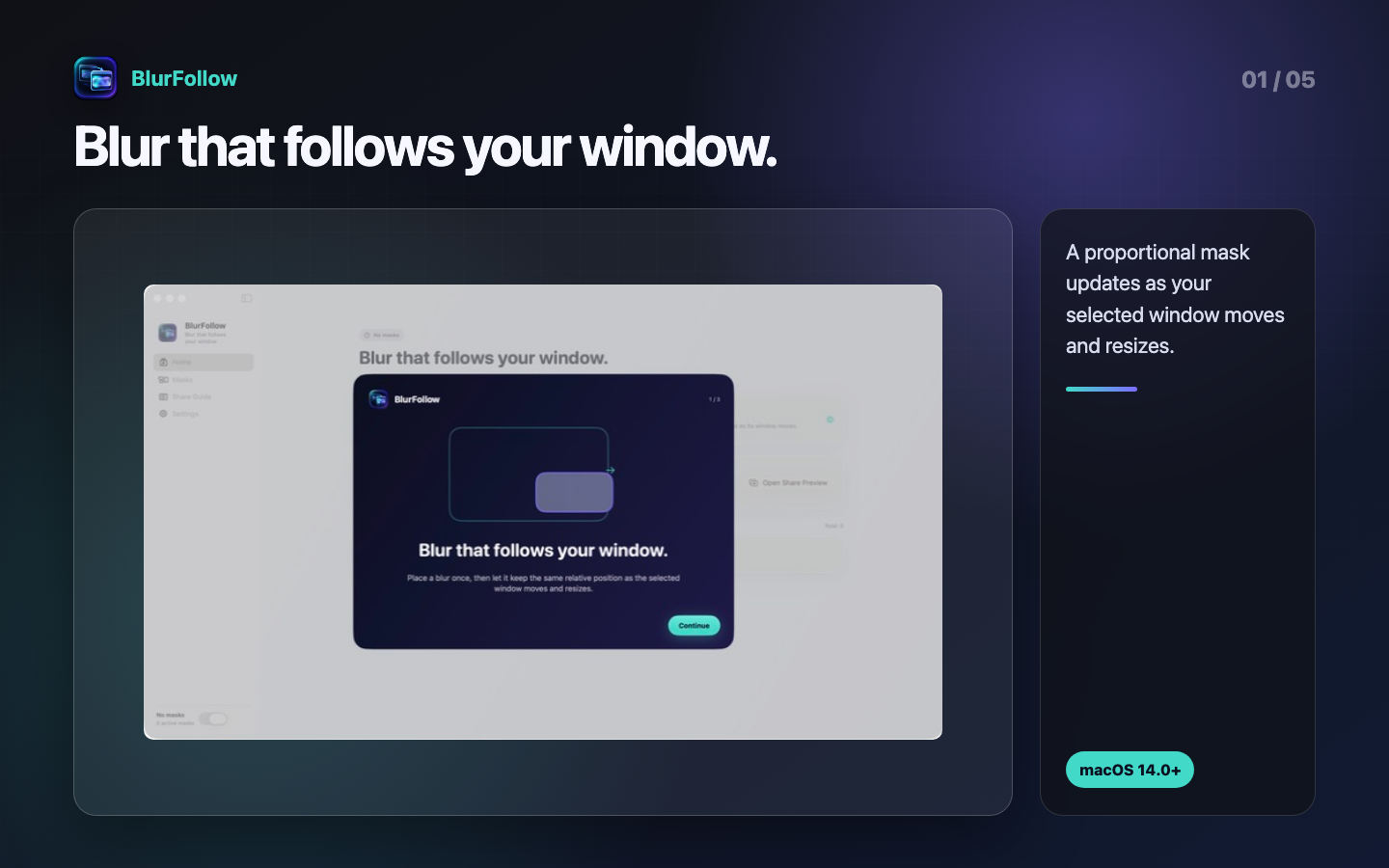
Pin a mask to a display or update it as your selected window moves and resizes. Inspect the composited result before you share.
macOS 14.0 or later · Local-first · Apache-2.0
Two coordinate modes
Match the sharing method with two placement modes and a separate preview you can check.
For notification areas and fixed layouts. Place a mask at a proportional position on one display.
For moving windows. Update a mask's position and size from proportional window coordinates.
Composite matching Window Pins on your Mac and inspect the result in a separate regular window.
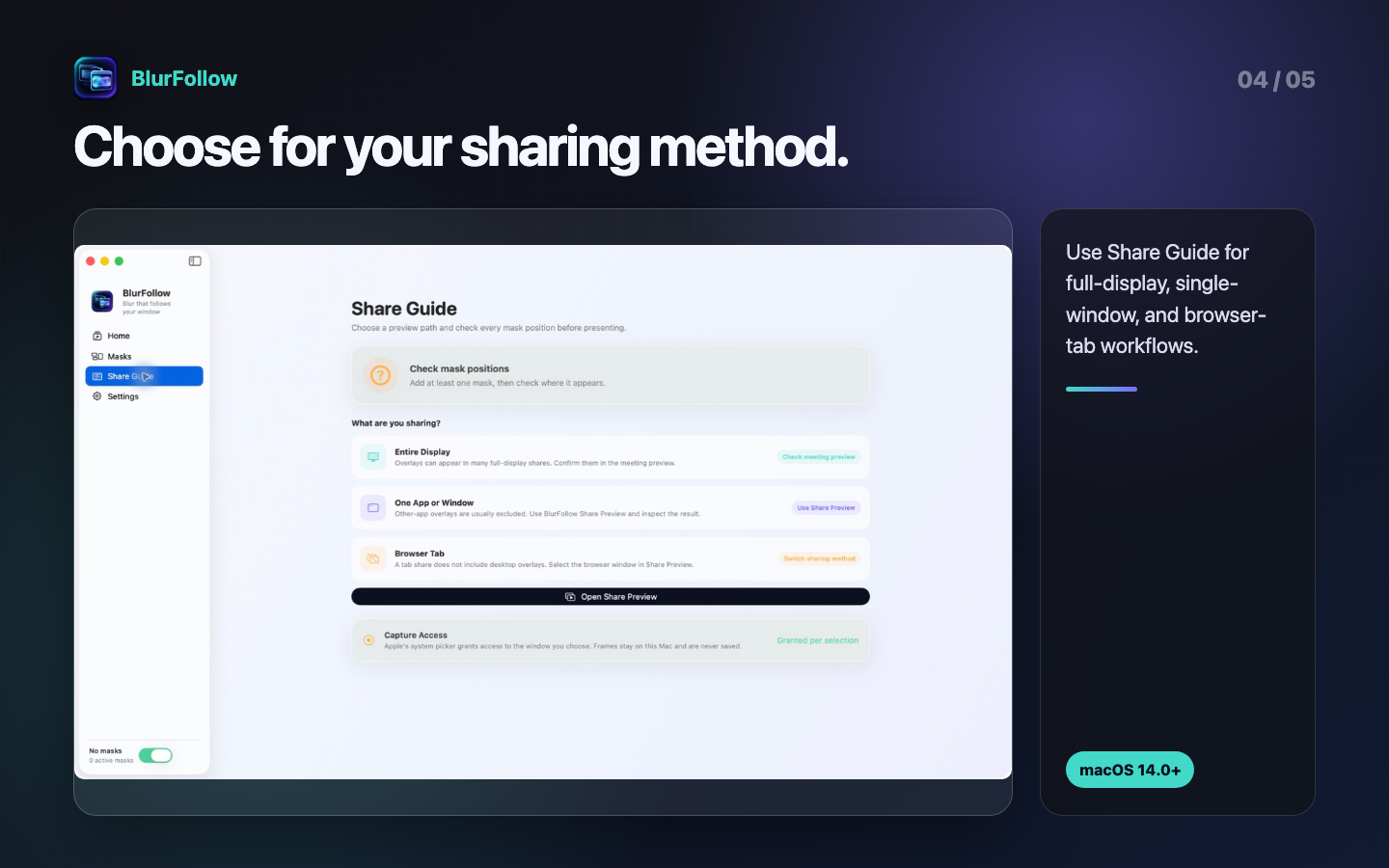
See the different workflows for full-display, single-window, and browser-tab sharing.
Choose Frost, Mosaic, or Redact for an area you have visually identified.
Optionally cover the latest position known to the app after tracking stops. It may not be current.
Inside the app
These are shipping BlurFollow screens, shown in the same order as the placement and verification workflow.
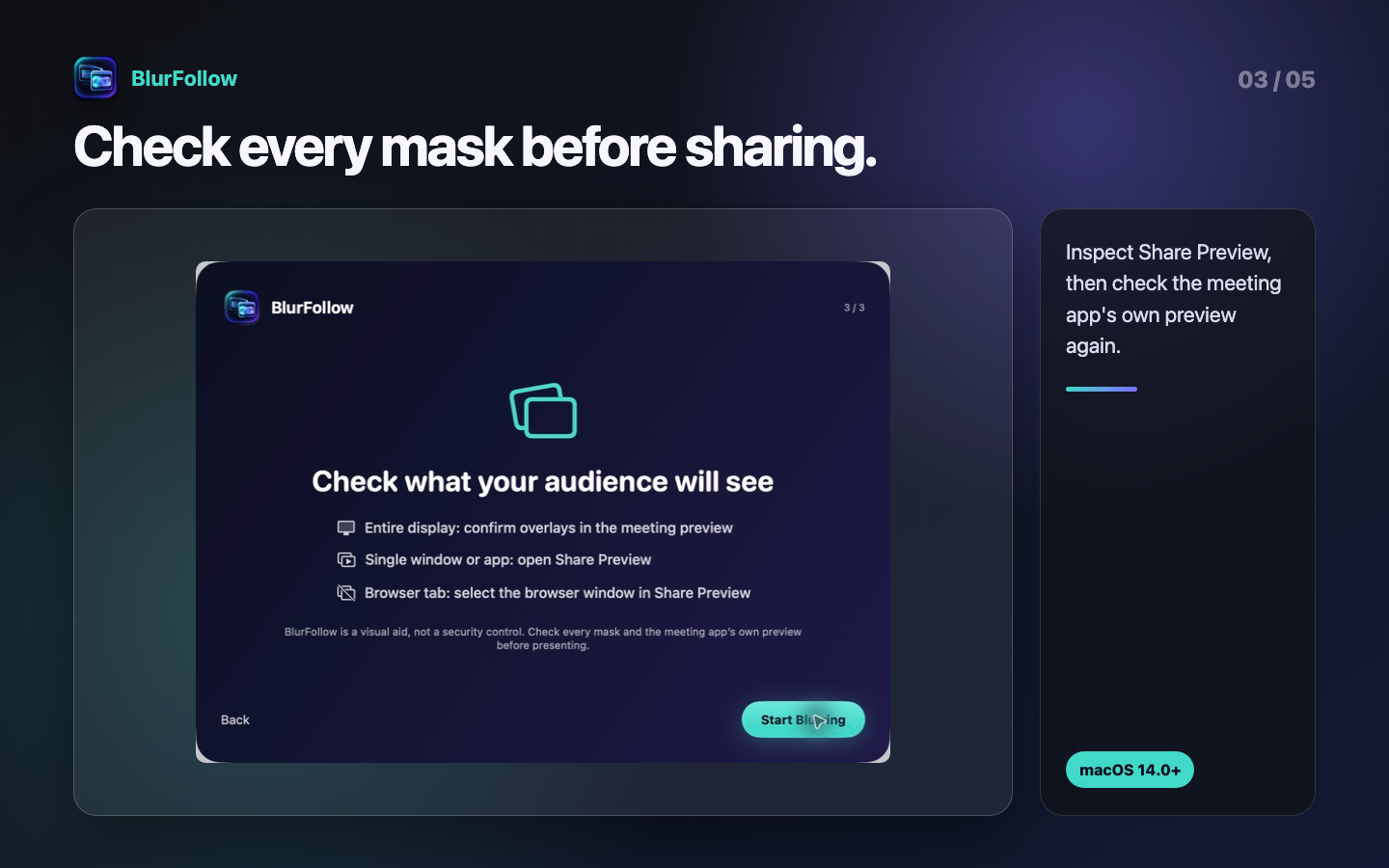
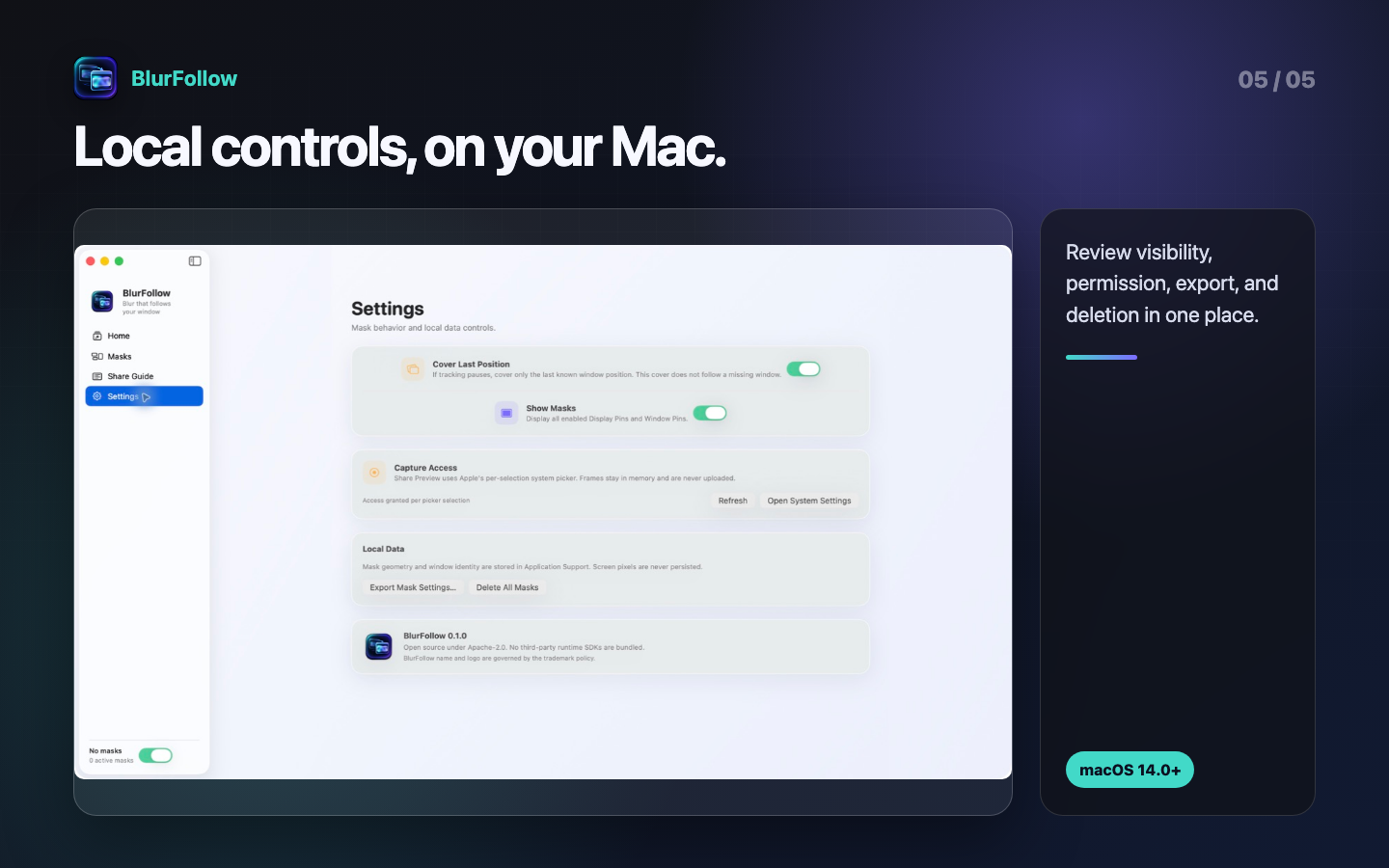
Guide
Choose the capture method first. A desktop overlay and a single-window or browser-tab capture do not behave the same way.
A Window Pin updates its displayed position as its source moves or resizes. When a matching mask's position, style, Strength, or on/off state changes—or Share Preview's capture state changes—Share Preview updates its display and may clear or cover the previous image while updating. If “I checked every mask” is reset, wait for the current composite and inspect every mask again. A display update does not guarantee zero latency, exact alignment while moving, correct mask placement, or correct shared content.
Support
BlurFollow reports technical state, but you remain responsible for checking the actual image shown to the receiver.
If access is denied, Window Pin and Share Preview stop instead of guessing a window. Check System Settings → Privacy & Security → Screen Recording. On macOS 14 through 15.1, revoke the broader permission there when it is no longer needed.
BlurFollow does not request Accessibility, Full Disk Access, camera, or microphone permission.
BlurFollow assists with mask placement and pre-share inspection; it is not a security control. It does not automatically identify confidential information or guarantee mask placement, blur or mosaic unreadability, or inclusion in a shared output. Scrolling, zoom, layout changes, child windows, tracking loss, and capture method can change what appears. Remove secrets from the source where possible, choose opaque Redact when appropriate, and visually inspect both BlurFollow and the meeting application's receiving preview every time.
Single-window and tab capture normally excludes another app's overlay. Composite the browser window and matching Window Pins in Share Preview, then select BlurFollow Share Preview as the meeting app's sharing target.
The window may have closed, become hidden, been recreated, or become ambiguous among similar candidates. Check Masks and use Reconnect… to choose it again with Apple's picker. Proportional coordinates remain, but visually inspect whether the content layout changed.
When window position becomes unavailable, it can cover the latest position BlurFollow had available. That may not be the source's current position and does not replace reconnecting or checking the shared output.
BlurFollow does not show its normal composite if no matching Window Pin exists, the source or frame cannot be validated, restored settings need acknowledgement, or capture stopped. Follow the reason shown in the window: add or reconnect a Window Pin, review restored settings, or select the source again.
See Limits of a visual aid for why opaque Redact and receiver-side inspection may be more appropriate.
See the privacy summary and Screen frames for the exact behavior of version 0.1.0 and the separate role of a meeting app.
See Retention, deletion, and choices for individual masks, all app settings, exported settings, and backups.
For product support, email support@hinoshiba.com in Japanese or English. For privacy questions, use the subject BlurFollow Privacy.
For support, include the BlurFollow version, macOS version, Mac model/architecture, sharing method, source and meeting app, displayed state, reproduction steps, expected result, and actual result. Reproduce with fabricated data. Do not send real confidential frames, window titles, personal data, or credentials.
For a suspected vulnerability, include “Security” in the subject and do not post details in a public issue.
Privacy policy
The policy below describes each feature of the audited macOS build.
For Share Preview, ScreenCaptureKit provides one window deliberately selected in Apple's system picker. BlurFollow composites matching Window Pins in memory and displays the result in a separate regular window. Audio capture is disabled.
The current app has no code intended to encode frames as an image or video, transmit them over a network, analyze them, or use them for model training. It releases its current preview image when capture stops. This does not claim complete control over macOS swap, GPU buffers, crash diagnostics, user-created screenshots, backups, or another process with screen-capture access.
After a user shares BlurFollow Share Preview through a meeting, streaming, or recording app, that product and its recipients process the displayed video under their own terms. BlurFollow does not control meeting participants, recordings, or later redistribution.
BlurFollow stores these categories in a JSON configuration:
In a sandboxed Mac App Store build, the file normally resides at Library/Application Support/BlurFollow/Masks.json inside the app container. BlurFollow may keep the last validated settings at Masks.json.backup in the same folder. Window titles and user-entered mask names may themselves be sensitive.
Export Mask Settings writes the same categories to a user-selected location. That copy is then subject to the storage, synchronization, and backup software chosen by the user.
The audited 0.1.0 app has no network client or remote endpoint. The developer does not collect personal data through the app, share data for advertising, or track users across apps or websites. For the current unmodified build, the expected Apple App Privacy answer is “No, this app does not collect data.”
The App Store, signing and notarization services, download host, macOS, and a meeting app may process information separately as their respective providers. That is distinct from a BlurFollow runtime transmission.
Masks.json and Masks.json.backup from its sandbox container.There is no BlurFollow account or server profile to access or delete.
If a future build adds networking, accounts, analytics, payments, cloud sync, or another change to data handling, this policy and the App Privacy answers will be updated before distribution.
Open source
BlurFollow code and ordinary documentation use the Apache License 2.0. Brand Assets and trademarks have separate terms.
Except for Brand Assets and verbatim third-party legal texts, BlurFollow source code and ordinary documentation are provided under the Apache License, Version 2.0. Subject to its conditions, the license permits use, modification, redistribution, and commercial use. Redistributors must retain the license and NOTICE, identify modified files, and preserve required attribution. Patent and termination provisions also apply.
Apache-2.0 commercial-use permission does not grant permission to use the BlurFollow name, logo, or icon as a product brand. It also provides no warranty of fitness or absence of defects. The full license text controls.
The audited 0.1.0 app bundles no third-party runtime library, SDK, package, executable, model, font, analytics SDK, advertising SDK, or updater. It links to frameworks supplied by macOS, including AppKit, SwiftUI, ScreenCaptureKit, and Core Image. Apple frameworks and the Swift runtime are not relicensed under BlurFollow's Apache-2.0 terms.
Each future release must re-audit packages, embedded frameworks, resources, fonts, build tools, and CI actions, then update notices for what is actually distributed.
The BlurFollow name, logo, app icon, and confusingly similar source identifiers are governed by the trademark and brand policy. Icon artwork and derived renditions are excluded from Apache-2.0; their respective rights holders reserve all rights. Unless separately authorized, a fork or redistribution should use its own name, bundle ID, icon, signing identity, support contact, and privacy statement.
Availability of a name or design varies by territory, goods and services, and similarity. These documents are not trademark clearance or legal advice.
These downloads reproduce the texts included with the distribution.