Display Pin
通知領域や固定レイアウトへ。ひとつのディスプレイ内の割合位置へマスクを置きます。
Window-following blur for Mac
画面へ固定するマスク、選んだ窓の移動・リサイズに合わせるマスク、文字追従(ベータ)で指定文字列に一致したすべての認識ブロックを覆うモザイク。共有前に実際の出力を確認できます。
macOS 14.0以降 · 無料枠: Display 10 / Window 5 / Text Follow 2ルール · 上限解除は買い切り · Apache-2.0
Features
位置を指定するDisplay/Window Pinと、端末内OCRで一致文字列を探す別機能のText Followを使い分けます。
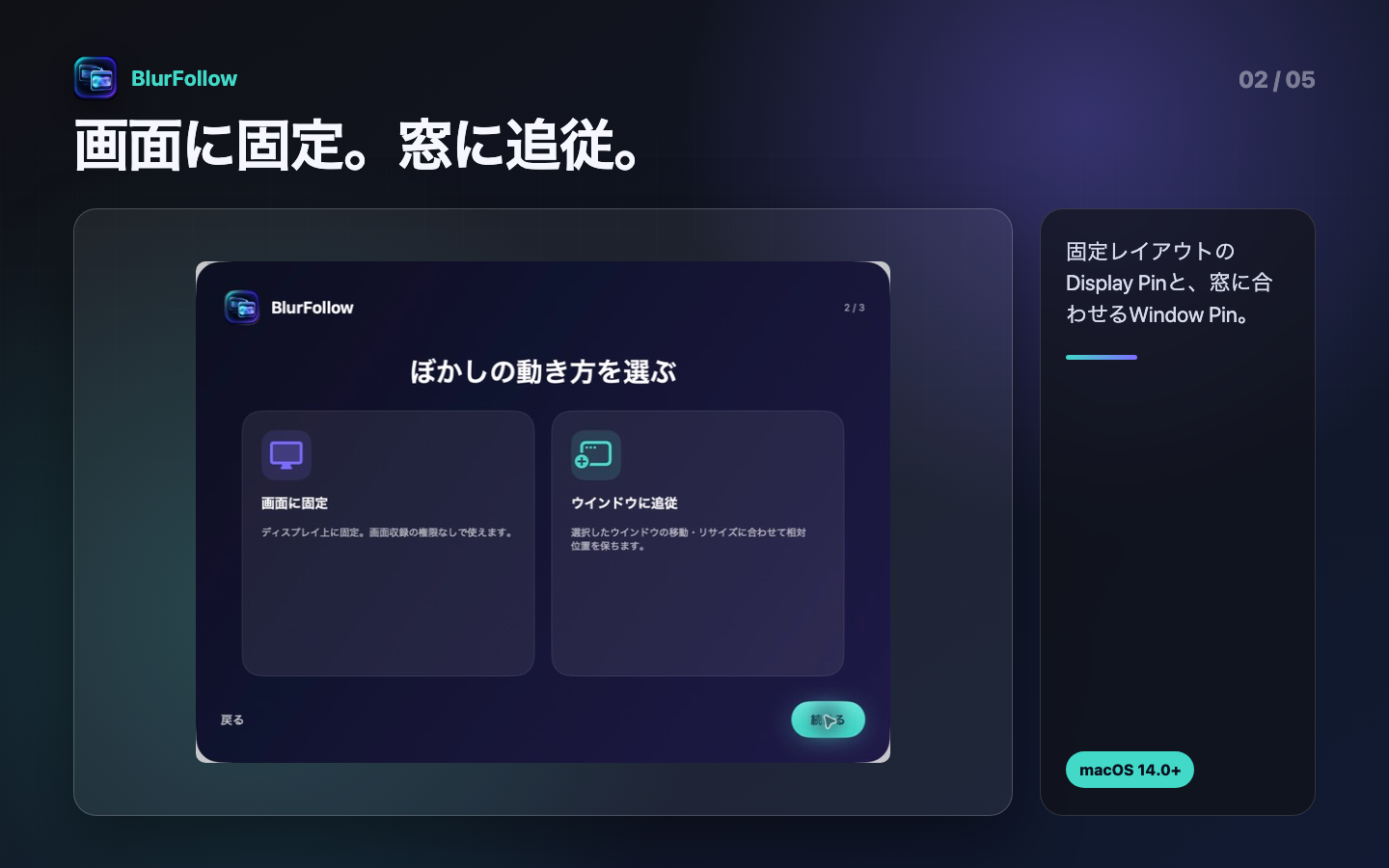
通知領域や固定レイアウトへ。ひとつのディスプレイ内の割合位置へマスクを置きます。
選んだ窓の移動とリサイズへ。窓内の割合座標からマスク位置と大きさを更新します。
完全一致、前方一致、部分一致(Contains)、正規表現をApple Visionで端末内照合。一致したすべての認識ブロックへMosaicを表示します。
選んだ窓へ対応するWindow Pinと、接続済みText Followルールの完了済み一致をMac内で合成して確認できます。
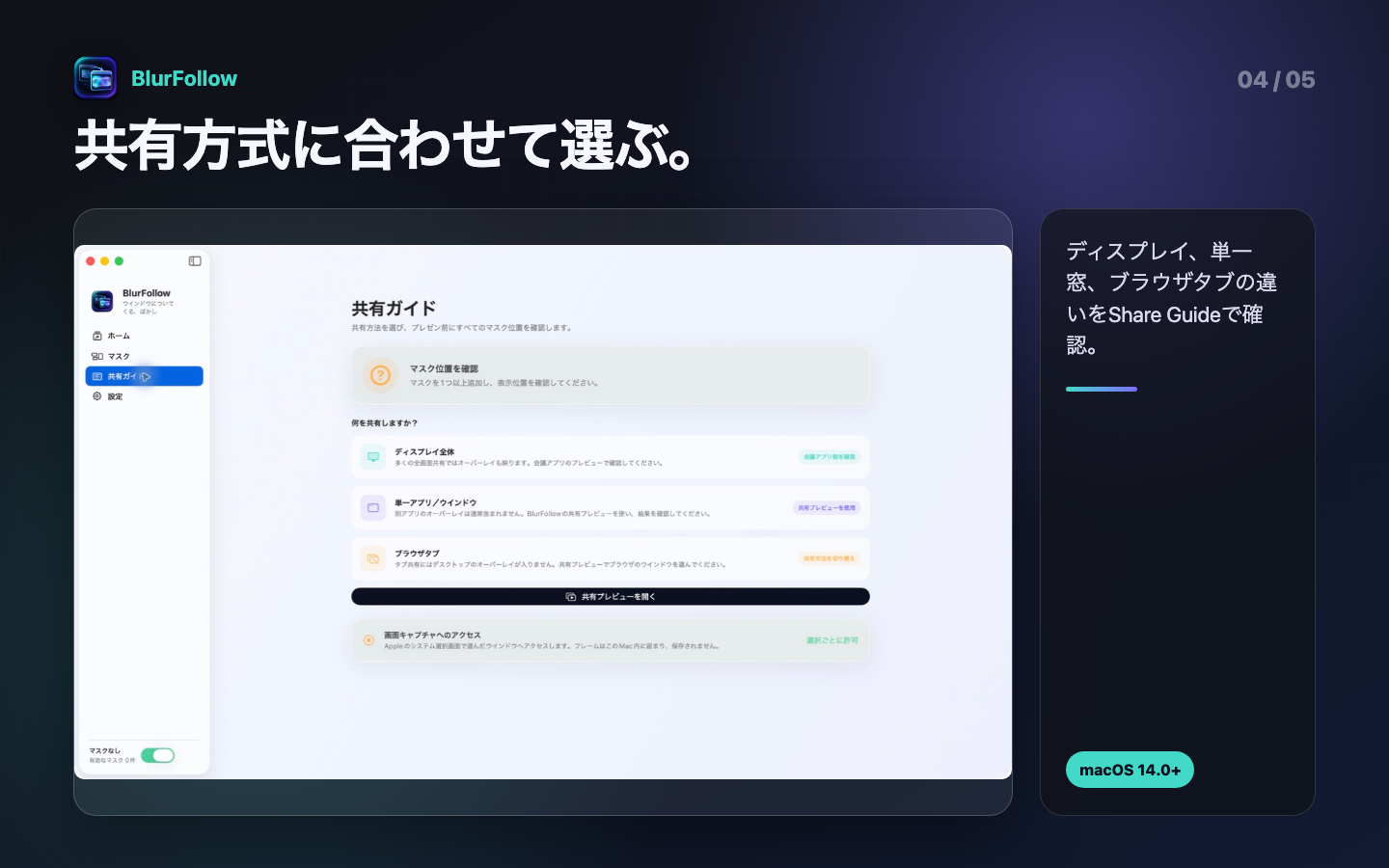
ディスプレイ全体、単一ウインドウ、ブラウザタブで異なる共有方法を画面内で案内します。
Frost、Mosaic、Redact。デスクトップMosaicは実際の背面をpixelateし、filterが使えなければ不透明表示へ切り替えます。
追跡できないとき、最後に把握した位置を不透明に覆う選択肢。現在位置とは限りません。
Product tour
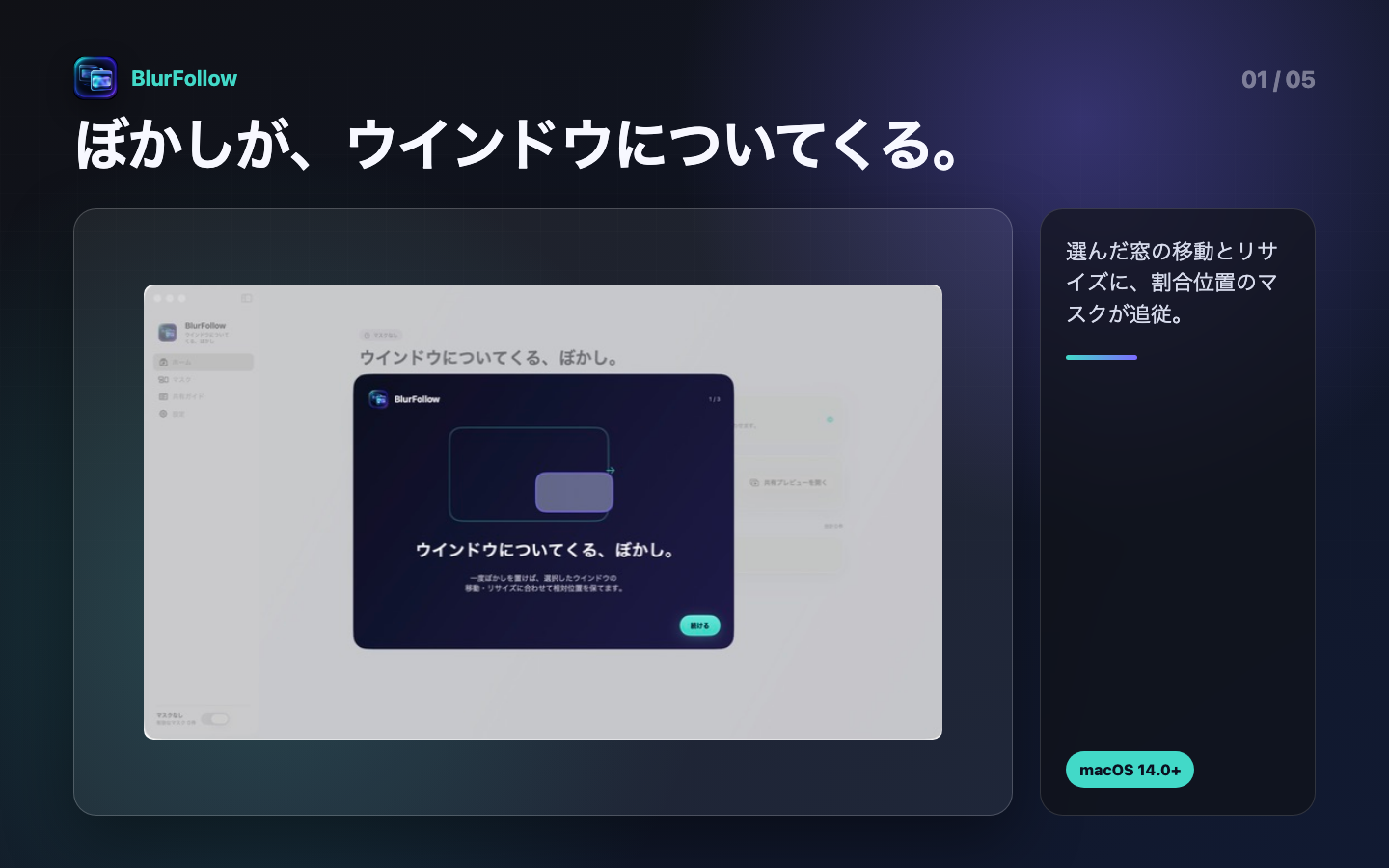
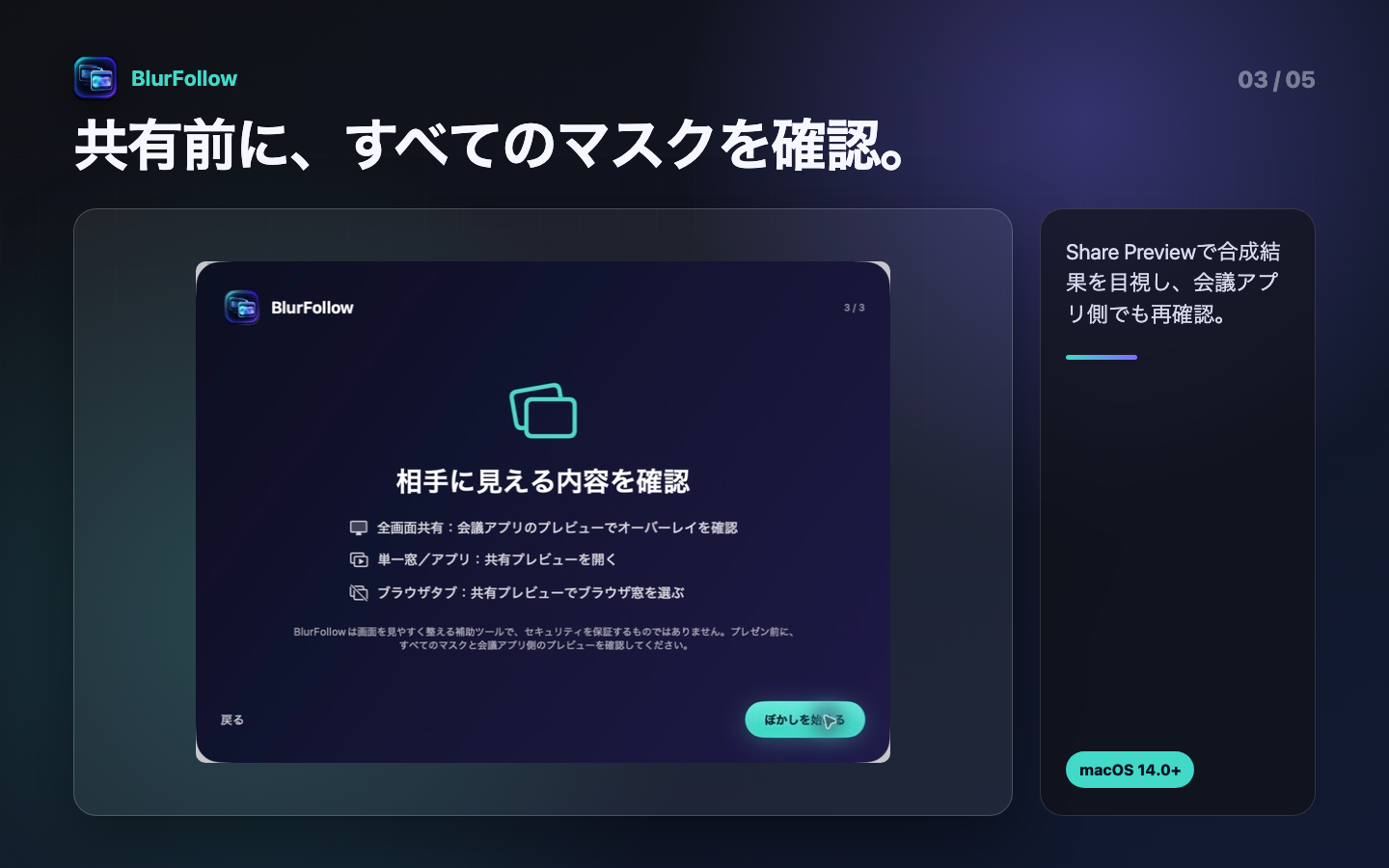
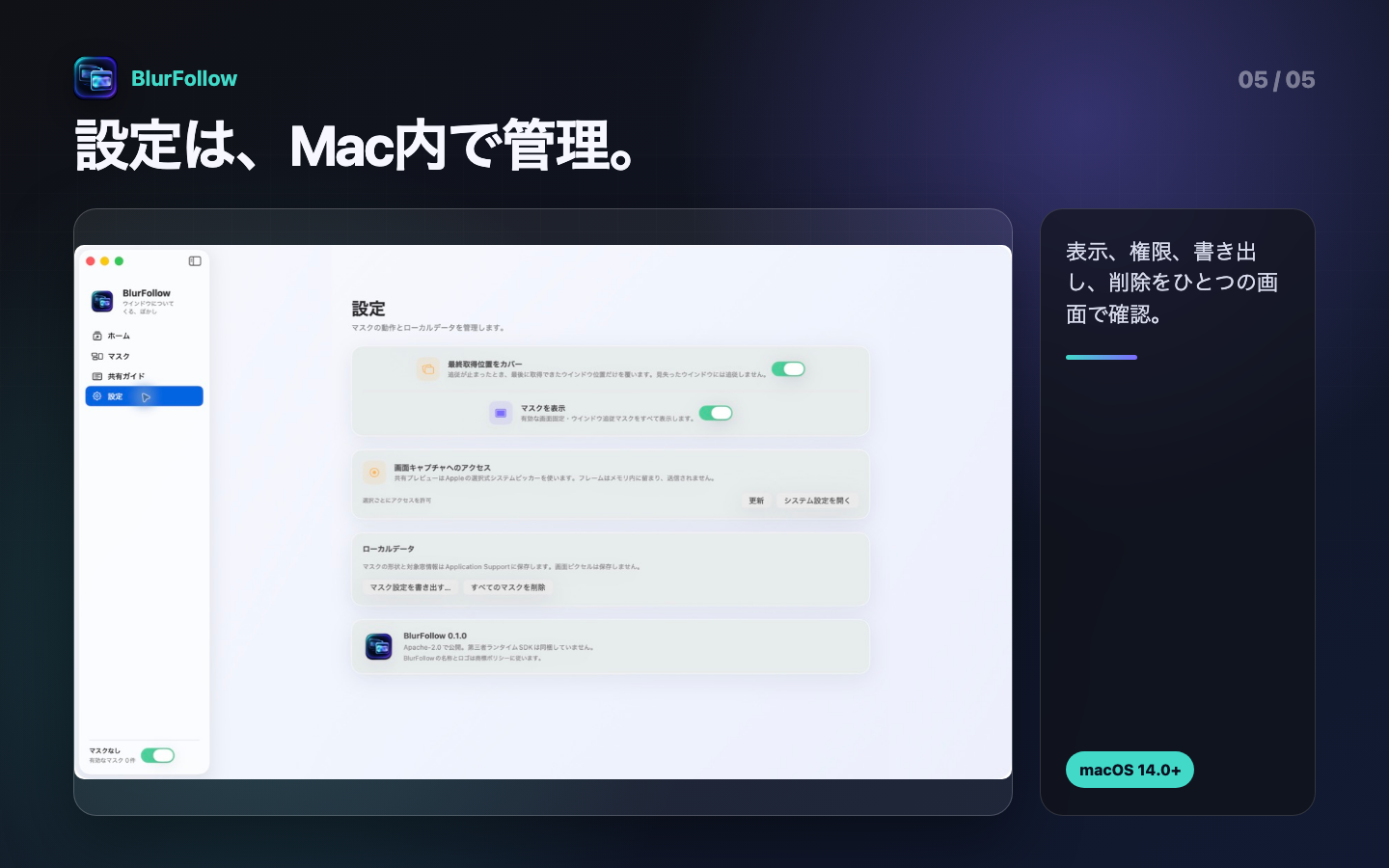
追従の考え方から、共有方式の選択、共有前の確認、ローカル設定までを実際の案内画面でたどれます。
Before sharing
BlurFollowは確認を置き換えません。配置、合成結果、会議アプリの受信側プレビューを順に目視します。
01 · 方法を選ぶ
固定領域にはDisplay/Window Pin、一致文字列にはText Followを選びます。
02 · 実出力を見る
デスクトップのすべての一致ブロックと、単一窓Share Preview内のWindow Pin+完了済みText Followを確認します。
03 · 共有先でも見る
会議アプリで正しい対象を選び、そのアプリ自身のプレビューをもう一度確認します。
Guide
選ぶ、置く、認識結果を確かめる。Share PreviewはWindow Pinと同じ選択窓の完了済みText Follow結果を独自に合成します。
Text Followを含むデスクトップ上のマスクを目視したあと、会議アプリでディスプレイ全体を選び、そのアプリ自身のプレビューを確認します。通知、別のSpace、フルスクリーン切り替えにも注意してください。
別アプリのオーバーレイは単一窓キャプチャに通常含まれません。Share Previewは、対応するWindow Pinと選択窓の完了済みText Follow一致を独自にフレームへ合成します。元窓ではなくBlurFollow Share Previewを共有し、受信側でも確認します。
タブ共有もデスクトップオーバーレイを含みません。ブラウザ窓からShare Previewを作ると、Window Pinと接続済みText Followの完了済み一致を合成できます。OCRとpreviewは別のchild windowを除外するため、表示境界を確認してください。
許可を拒否した場合、Window Pin、Text Follow、Share Previewは窓を推測せず停止します。システム設定の「プライバシーとセキュリティ」→「画面収録」で確認・取り消しできます。BlurFollowはアクセシビリティ、フルディスクアクセス、カメラ、マイクの権限を要求しません。
Text Followは利用者が指定したパターンをOCR結果から探しますが、何が機密かを判断せず、すべての文字を認識する保証もありません。マスク位置、ぼかしやモザイクの読みにくさ、共有出力への反映を保証しません。「Following」「Placed」「Recognizing」「Preview active」は技術状態であり、内容の安全を認定する表示ではありません。元データから秘密情報を除き、画面遷移や編集の後は実際の共有出力を再確認してください。
Privacy policy
更新日:2026年9月6日
Text FollowとShare Previewは、選択した窓の映像をMacで処理します。フレーム・認識文字列をファイルに保存せず、開発者へ送信しません。音声は取得しません。マスク・パターン・窓タイトルなどの識別情報と設定、復旧用コピー、評価案内の設定は端末に保存します。
Masksから個別または全マスクを削除できます。保存設定・復旧用コピーをすべて消す場合は、アプリを終了してアプリコンテナ内のBlurFollow設定フォルダを削除してください。手動で書き出した設定やバックアップも別途削除します。画面収録の許可はmacOSのシステム設定で管理できます。
購入・復元・評価の案内にはAppleのサービスを使用します。会議アプリなどでShare Previewを共有した場合は、そのサービスのポリシーが適用されます。製品・プライバシーのお問い合わせは support@hinoshiba.com へ。メールで提供されたアドレス・本文・添付はメール事業者を通じて受領し、対応または法令上必要な期間だけ保持します。同じ窓口へ削除を依頼できます。
このサイトはGitHub Pagesで配信され、アクセス情報はGitHubのプライバシーステートメントに従います。
Support
共有方式、追従状態、保存データを確認しても解決しない場合は、機密情報を除いた再現手順をお知らせください。
単一窓やタブのキャプチャは、別アプリのデスクトップオーバーレイを通常含みません。Share Previewでブラウザ窓、対応するWindow Pin、同じ選択元へ関連する接続済みText Followルールの完了済み一致を合成し、会議アプリではBlurFollow Share Previewを共有対象に選んでください。
対象窓が閉じた、非表示になった、別の窓として再作成された、または同じ候補を特定できない可能性があります。Masksで状態を確認し、「Reconnect…」からAppleのピッカーで対象窓を選び直してください。割合座標は残りますが、内容レイアウトが変わっていないか目視します。
Vision OCRはフォント、サイズ、コントラスト、言語、動き、スクロール、レイアウトによって見逃し、誤認、分割・結合、遅延が起こりえます。完全一致、前方一致、部分一致(Contains)、正規表現のパターンを見直し、画面遷移ごとにすべての一致を目視してください。Containsは大文字・小文字を区別し、一致部分だけでなく認識ブロック全体を覆います。ひとつの保存パターンは、一致ブロック数にかかわらず無料枠を1ルールだけ使います。
デスクトップ上のText Followパネルは、単一窓・タブキャプチャに通常含まれません。Share Previewはパネル自体を取り込むのではなく、同じ選択元へ関連する接続済み・有効なルールの完了済み位置を独自にWindow Pinと合成します。OCRとpreviewはいずれも別のchild windowを除外します。ディスプレイ全体またはBlurFollow Share Previewの実際の受信側出力を確認してください。
窓位置を取得できなくなったとき、BlurFollowが最後に利用できた位置を不透明に覆う表示です。移動後の現在位置とは限らず、再接続や共有先確認の代わりにはなりません。
窓やフレームを検証できない、設定の復旧確認が必要、キャプチャが停止した、または関連する有効なText Followルールが未接続・再接続待ち・接続中・認識中・失敗・選択元を利用不可・状態不整合の場合、設定にかかわらず古い映像を直ちに消して全面を不透明に覆います。既定の厳格安全モードは完了scanが0一致でも全面coverします。オフなら0一致を表示でき、全面フラッシュを避けられますが漏れ耐性は下がります。画面の理由表示に従い、ルールやWindow Pinの再接続、設定確認、対象窓の再選択を行ってください。0一致は見逃しがないことの証明ではありません。
読みにくく見せますが、元情報の推測や復元が不可能になるとは限りません。可能なら元データから秘密情報を除き、不透明なRedactも検討してください。詳しくは視覚的補助としての制約をご覧ください。
Masksで個別に削除するか、「Delete All Masks」を使います。すべての保存設定と書き出したコピーの削除方法は保持、削除、利用者の選択にまとめています。
無料枠と買い切りの上限解除を提供します。価格と購入条件はApp Storeの表示をご確認ください。
販売事業者の氏名、住所および電話番号については、「特定商取引法に基づく表記」の開示請求をいただいた場合、法令に基づき遅滞なく電子メールにて提供いたします。開示請求はsupport@hinoshiba.comへお送りください。購入判断前にご確認いただけます。購入済みである必要はありません。
まずは上の使い方とFAQをご確認ください。解決しない製品の不具合・プライバシーのお問い合わせ:support@hinoshiba.com
Brand Assetsと逐語の第三者法的文面を除き、BlurFollowのソースコードと通常文書はApache License, Version 2.0で提供します。このライセンスは、条件を守る限り、利用、変更、再配布、商用利用を認めます。再配布ではライセンスとNOTICEを保持し、変更したファイルを示し、必要な帰属を維持してください。特許条項とtermination条項も適用されます。
Apache-2.0の商用利用許可は、BlurFollowの名称、ロゴ、アイコンを商品ブランドとして使う許可ではありません。また、特定用途への適合や不具合の不存在を保証するものではありません。正確な条件はライセンス原文を優先してください。
監査対象の0.2.0アプリには、bundleされた第三者ランタイムライブラリ、SDK、package、実行ファイル、model、font、分析SDK、広告SDK、updaterはありません。AppKit、SwiftUI、ScreenCaptureKit、Vision、Core Image、StoreKitなど、利用者のmacOSが提供するframeworkへリンクします。AppleのframeworkとSwift runtimeはBlurFollowのApache-2.0へ再ライセンスされません。
将来のreleaseでは、package、埋め込みframework、resource、font、build tool、CI actionを再監査し、実際に配布するものに応じて通知を更新します。
BlurFollowの名称、ロゴ、アプリアイコンと、それらに紛らわしい識別表示は商標・ブランドポリシーの対象です。アイコン画像とその派生renditionはApache-2.0の対象外で、各権利者が権利を留保します。forkや再配布では、利用許可がない限り、自分の名称、bundle ID、アイコン、署名、サポート、プライバシー表示へ置き換えてください。
名称や図案の利用可能性は国・地域、商品・役務、類似性により変わります。ライセンス文書は商標clearanceや法的助言ではありません。
配布時点の原文をそのまま確認できるテキストとして掲載します。
Window-following blur for Mac
Pin a mask to a display, follow a selected window, or use Text Follow (Beta) with on-device OCR to mosaic every recognized block matching your text rule. Inspect the actual output before you share.
macOS 14.0 or later · Free: 10 Display / 5 Window / 2 Text Follow rules · One-time unlimited unlock · Apache-2.0
Three masking modes
Display and Window Pins use saved geometry. Text Follow is a separate feature that matches recognized text on device.
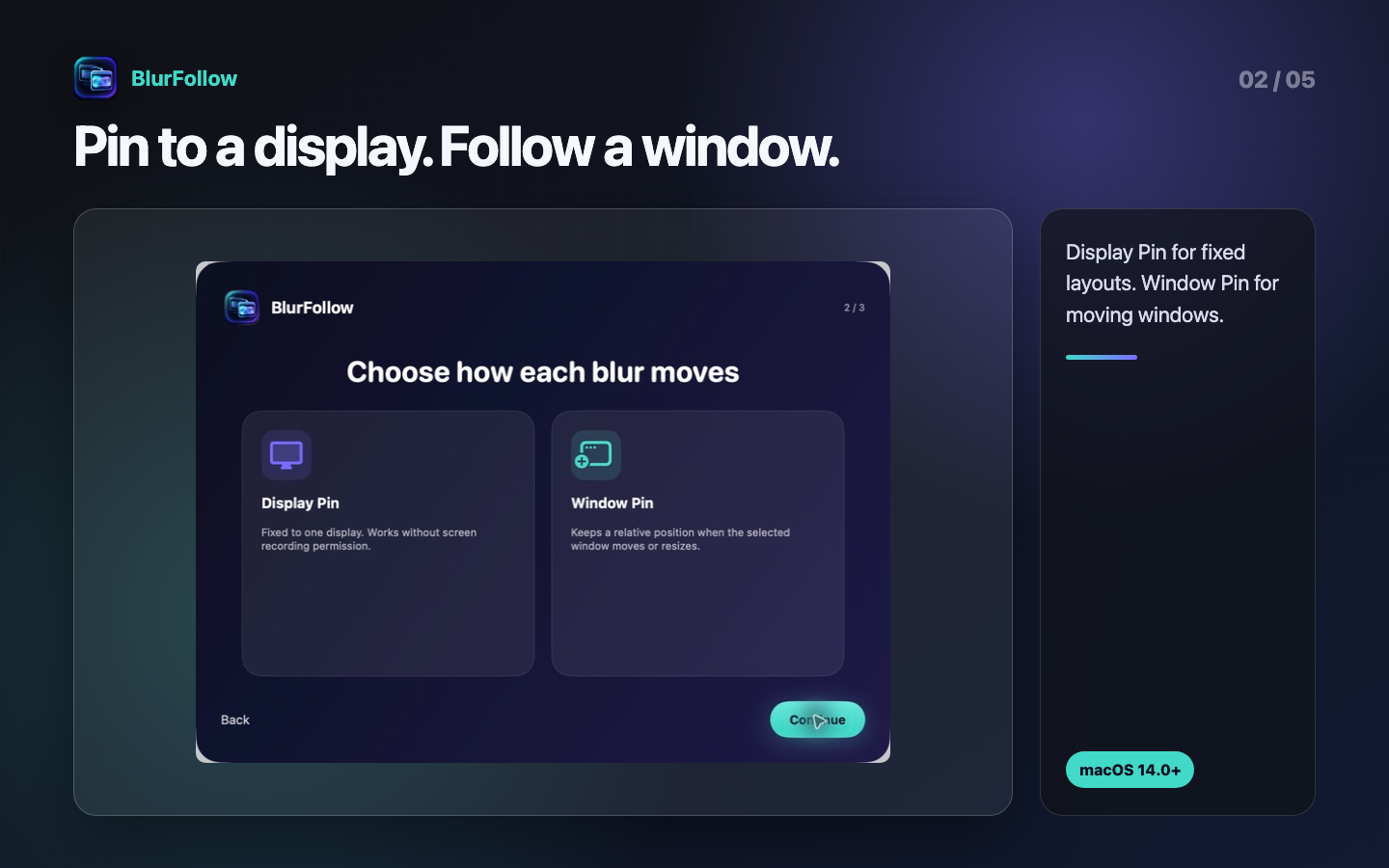
For notification areas and fixed layouts. Place a mask at a proportional position on one display.
For moving windows. Update a mask's position and size from proportional window coordinates.
Use Exact, Prefix, Contains, or Regular Expression with on-device Apple Vision OCR. Mosaic every recognized block that matches.
Composite matching Window Pins with completed matches from connected Text Follow rules for the selected source, all on your Mac.
See the different workflows for full-display, single-window, and browser-tab sharing.
Choose Frost, Mosaic, or Redact. Desktop Mosaic pixelates the actual backdrop and becomes opaque if its filter is unavailable.
Optionally cover the latest position known to the app after tracking stops. It may not be current.
Inside the app
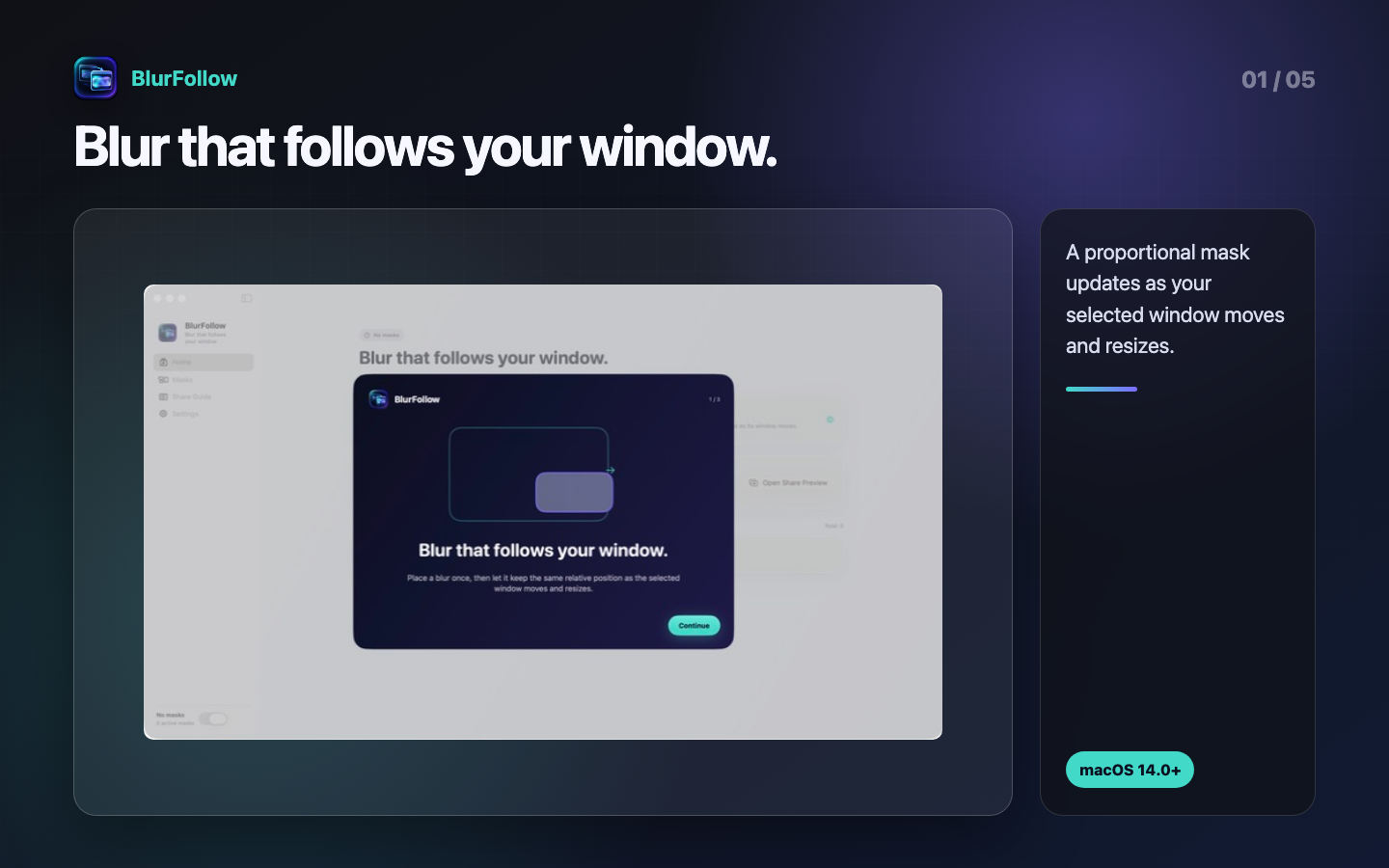
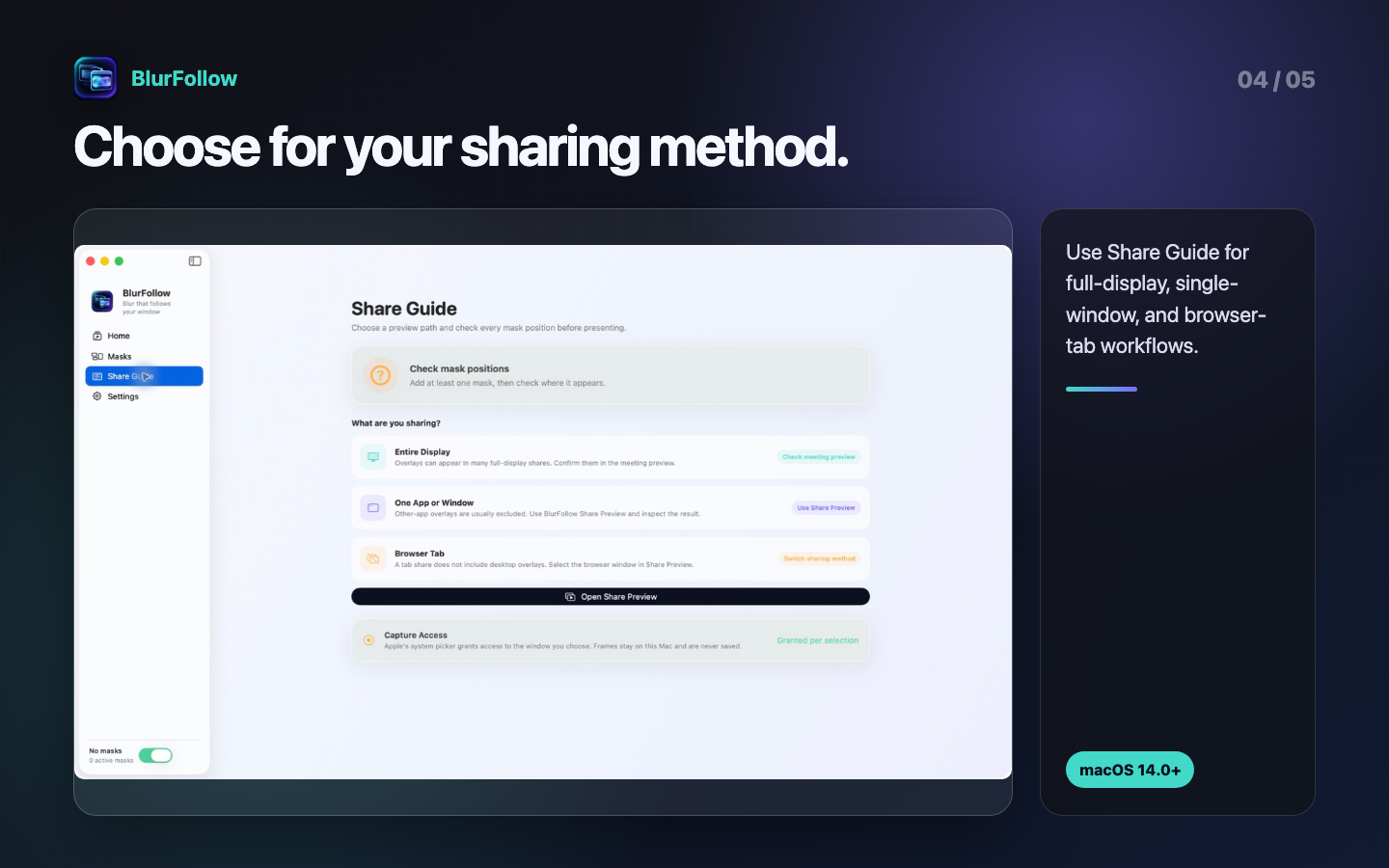
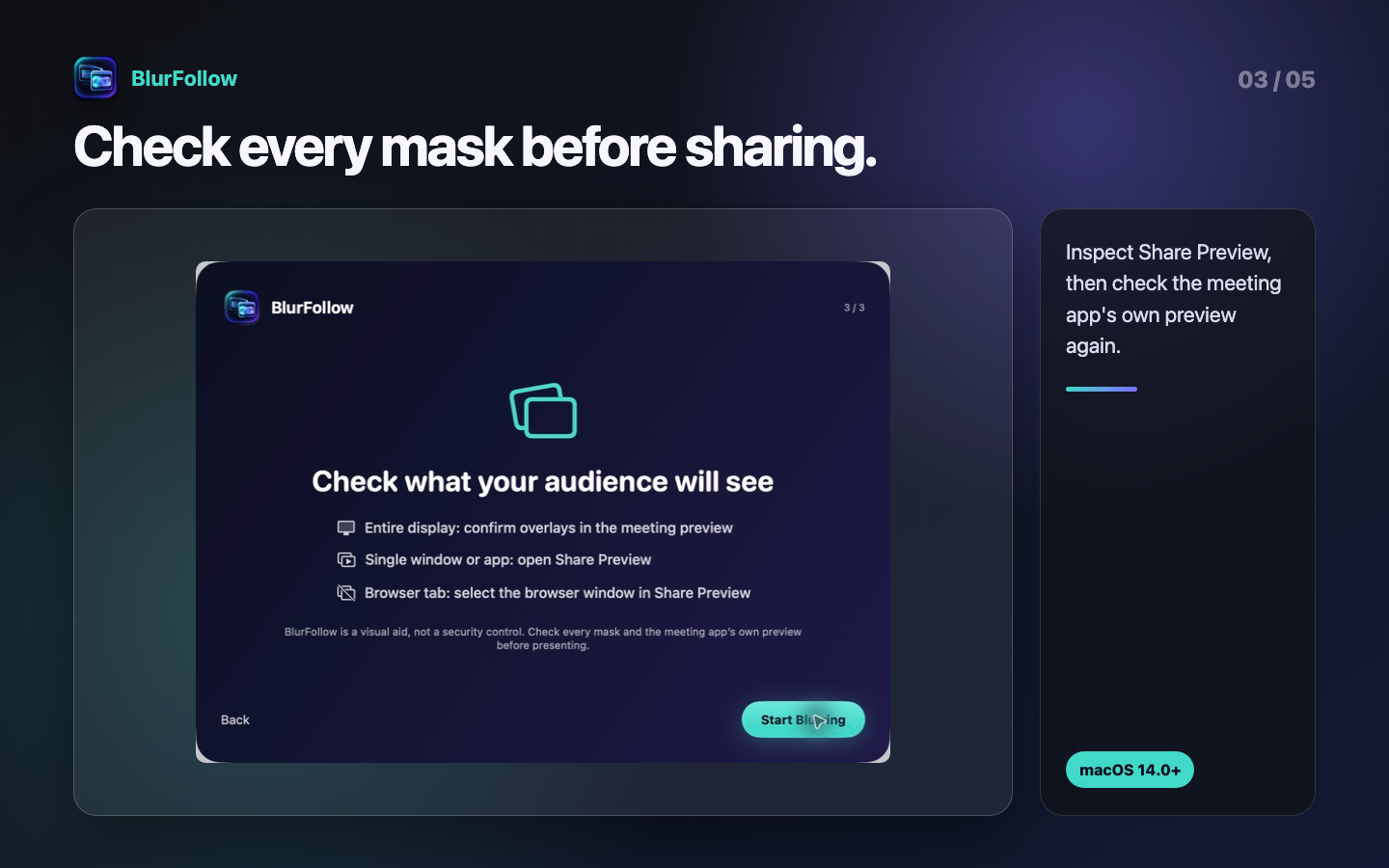
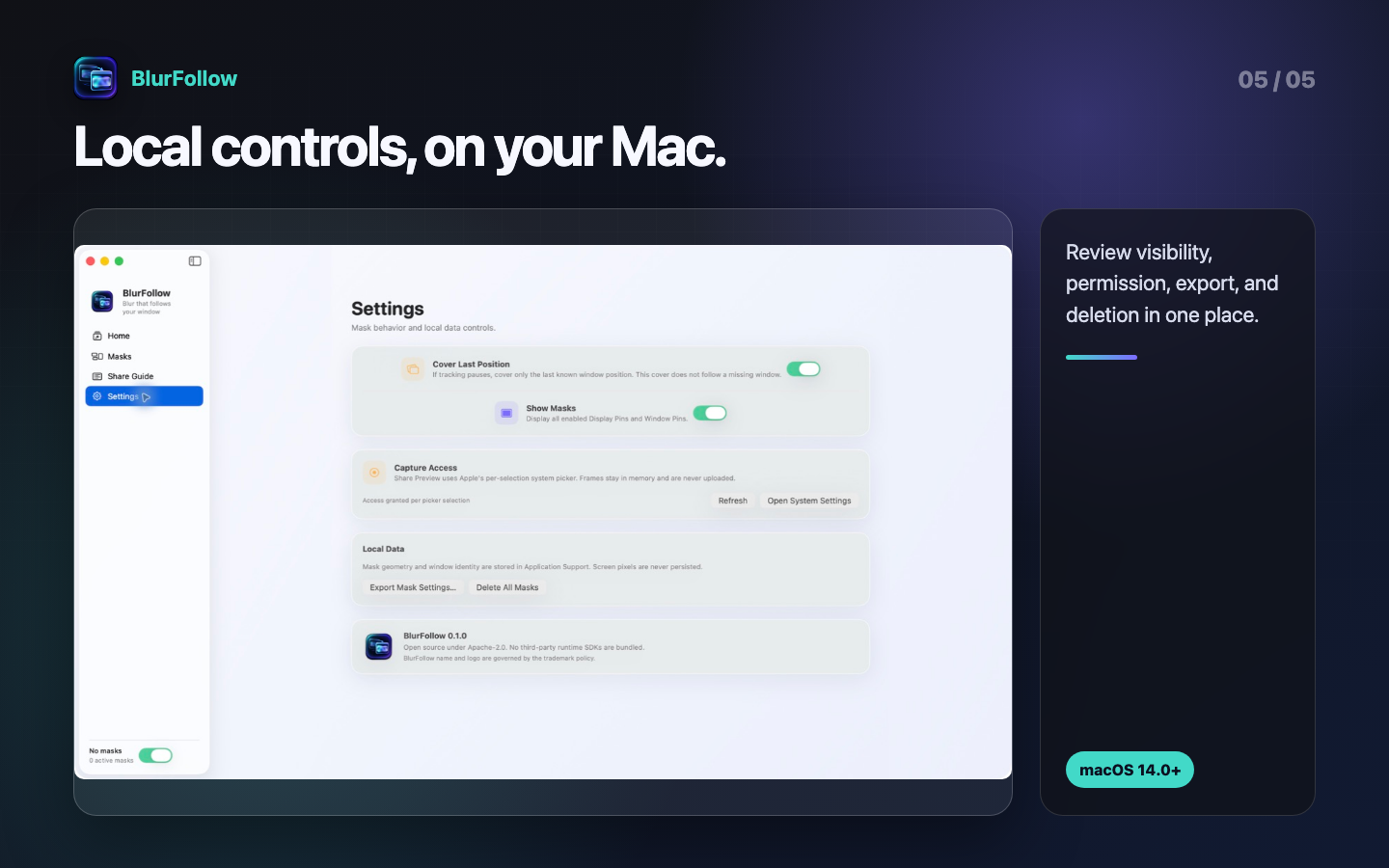
These are shipping BlurFollow screens, shown in the same order as the placement and verification workflow.
Guide
Choose the capture method first. Share Preview independently composites Window Pins and completed Text Follow results for its selected source.
A Window Pin updates its displayed position as its source moves or resizes. Text Follow replaces its detected Mosaic panels with the current OCR generation as the source changes. Neither update guarantees zero latency, complete recognition, exact alignment, correct mask placement, or correct shared content. Strict safety is on by default and covers the current or last trusted window while recognition or metadata is uncertain and after OCR completes with zero matches. Turning it off retains prior desktop masks during uncertainty and permits a coherent zero-match preview, avoiding full-window flashes but reducing resistance to OCR misses and moved or newly appearing text. Share Preview still clears and fully covers the previous image for every unconnected, reconnecting, connecting, scanning, failed, unavailable, or inconsistent relevant rule regardless of that preference.
Inspect all desktop masks, including every current Text Follow match, choose the full display in the meeting app, and inspect that app's own preview. Watch for notifications, other Spaces, full-screen changes, and OCR updates after navigation.
An overlay drawn by another app is normally excluded from single-window capture. Share Preview independently composites matching Window Pins and every completed match from connected, enabled Text Follow rules for the selected source. OCR and preview both exclude separate child windows. Inspect Share Preview, then select BlurFollow Share Preview instead of the original window.
Tab sharing also excludes desktop overlays. A Share Preview created from the browser window can independently composite its Window Pins and completed Text Follow matches, but both OCR and preview exclude separate child windows. Inspect whether browser chrome or content outside the intended tab is visible and verify the receiving preview.
Following, Placed, Recognizing, and Preview active describe technical state observed by BlurFollow. They do not certify the content or OCR completeness. Recheck BlurFollow and the meeting app after navigation, scrolling, zooming, moving, reconnecting, or editing a mask or rule.
Support
BlurFollow reports technical state, but you remain responsible for checking the actual image shown to the receiver.
If access is denied, Window Pin, Text Follow, and Share Preview stop instead of guessing a window. Check System Settings → Privacy & Security → Screen Recording. On macOS 14 through 15.1, revoke the broader permission there when it is no longer needed.
BlurFollow does not request Accessibility, Full Disk Access, camera, or microphone permission.
BlurFollow assists with mask placement and pre-share inspection; it is not a security control. Text Follow searches OCR output for a user-supplied pattern, but it does not determine what is confidential or guarantee that every intended string was recognized. BlurFollow does not guarantee mask placement, blur or mosaic unreadability, or inclusion in a shared output. Navigation, scrolling, zoom, layout changes, child windows, OCR errors or delay, tracking loss, and capture method can change what appears. Remove secrets from the source where possible and visually inspect the actual receiving output every time.
Single-window and tab capture normally excludes another app's desktop overlay. Composite the browser window, matching Window Pins, and completed matches from connected Text Follow rules in Share Preview, then select BlurFollow Share Preview as the meeting app's sharing target.
The window may have closed, become hidden, been recreated, or become ambiguous among similar candidates. Check Masks and use Reconnect… to choose it again with Apple's picker. Proportional coordinates remain, but visually inspect whether the content layout changed.
Vision OCR can miss, misread, split, merge, or lag because of font, size, contrast, language, motion, scrolling, or layout. Review the Exact, Prefix, Contains, or Regular Expression pattern, then inspect every transition. Contains is case-sensitive and masks the entire recognized block rather than only the substring. One saved pattern uses one free-plan rule slot regardless of how many blocks it currently matches.
Desktop Text Follow panels are normally excluded from direct single-window and tab capture. Share Preview does not capture those panels; it independently composites the completed geometry from connected, enabled rules related to the same selected source together with Window Pins. OCR and preview use the same parent-window boundary and exclude separate child windows. Verify the actual receiving output for either a full display or BlurFollow Share Preview.
When window position becomes unavailable, it can cover the latest position BlurFollow had available. That may not be the source's current position and does not replace reconnecting or checking the shared output.
BlurFollow immediately clears the old frame and shows a full opaque cover if the source or frame cannot be validated, restored settings need acknowledgement, capture stopped, or any relevant enabled Text Follow rule is unconnected, reconnecting, connecting, scanning, failed, unavailable, or inconsistent. This fail-closed behavior applies regardless of the strict-safety preference. Strict safety is on by default and also covers a completed zero-match result. Turning it off lets a coherent zero-match result render and avoids that full-frame flash, but lowers resistance to OCR misses. Follow the reason shown to reconnect the rule or Window Pin, review settings, or select the source again. Zero matches are not proof that OCR missed nothing.
See Limits of a visual aid for why opaque Redact and receiver-side inspection may be more appropriate.
See the privacy summary and Screen frames for the exact behavior of version 0.2.0, StoreKit's separate role, and the separate role of a meeting app.
See Retention, deletion, and choices for individual masks, all app settings, exported settings, and backups.
The app offers free allowances and a one-time unlock. See the App Store for current pricing and purchase terms.
Apple billing and purchase support · Request a refund
Upon a request for disclosure under Japan’s Act on Specified Commercial Transactions, we will provide the seller’s name, address, and telephone number by email without delay in accordance with applicable law. Send disclosure requests to support@hinoshiba.com. You can review this information before deciding to purchase. A prior purchase is not required.
Reference: Guide to the Act on Specified Commercial Transactions (Japanese)
Start with the guide and FAQ above. For unresolved product issues or privacy inquiries: support@hinoshiba.com
Privacy policy
Updated September 6, 2026
Text Follow and Share Preview process selected-window frames on the Mac. Frames and recognized text are not saved to files or sent to the developer. Audio is not captured. Masks, patterns, window titles and other identifying metadata, settings, recovery copies, and rating-prompt preferences are stored on the device.
Use Masks to delete individual or all masks. To remove all saved settings and recovery copies, quit the app and delete its BlurFollow configuration folder inside the app container. Separately remove any exported settings and backups. Manage Screen Recording permission in macOS System Settings.
Purchases, restoration, and rating prompts use Apple services. Sharing Share Preview through a meeting or recording app follows that service’s privacy policy. Product and privacy inquiries: support@hinoshiba.com. Email addresses, messages, and attachments are received through our email provider and retained only as needed to respond or meet legal obligations. You may request deletion at the same address.
This website is hosted on GitHub Pages; access information follows GitHub’s Privacy Statement.
Open source
BlurFollow code and ordinary documentation use the Apache License 2.0. Brand Assets and trademarks have separate terms.
Except for Brand Assets and verbatim third-party legal texts, BlurFollow source code and ordinary documentation are provided under the Apache License, Version 2.0. Subject to its conditions, the license permits use, modification, redistribution, and commercial use. Redistributors must retain the license and NOTICE, identify modified files, and preserve required attribution. Patent and termination provisions also apply.
Apache-2.0 commercial-use permission does not grant permission to use the BlurFollow name, logo, or icon as a product brand. It also provides no warranty of fitness or absence of defects. The full license text controls.
The audited 0.2.0 app bundles no third-party runtime library, SDK, package, executable, model, font, analytics SDK, advertising SDK, or updater. It links to frameworks supplied by macOS, including AppKit, SwiftUI, ScreenCaptureKit, Vision, Core Image, and StoreKit. Apple frameworks and the Swift runtime are not relicensed under BlurFollow's Apache-2.0 terms.
Each future release must re-audit packages, embedded frameworks, resources, fonts, build tools, and CI actions, then update notices for what is actually distributed.
The BlurFollow name, logo, app icon, and confusingly similar source identifiers are governed by the trademark and brand policy. Icon artwork and derived renditions are excluded from Apache-2.0; their respective rights holders reserve all rights. Unless separately authorized, a fork or redistribution should use its own name, bundle ID, icon, signing identity, support contact, and privacy statement.
Availability of a name or design varies by territory, goods and services, and similarity. These documents are not trademark clearance or legal advice.
These downloads reproduce the texts included with the distribution.
本サイトならびに本サイトで紹介・公開しているアプリケーション、コンテンツ、成果物およびソースコード等は、制作者が個人(hinoshiba)として制作・提供しているものです。
これらは制作者が所属する組織・団体とは関係なく、所属組織・団体の公式な見解、製品、サービスまたは活動を示すものではありません。
本サイトおよび本アプリケーション等に関するお問い合わせ、サポートその他の責任は制作者個人が負うものであり、所属組織・団体はこれらの提供・運営には関与しておりません。
本サイトまたは本アプリケーション等の利用により生じた損害については、法令上認められる範囲において、制作者は責任を負わないものとします。